 Easy Timesheet
What you get
One file with two documents, to be used together:
- The daily log: each day you note the time each employee started and the time they finished. It is the “primary” document, filled in at the workplace.
- The monthly attendance sheet: it consolidates the hours from the log over the whole month, with totals, leave and absences. You sign it and send it to the accountant.
Download Excel (.xlsx) Download PDF (to print)
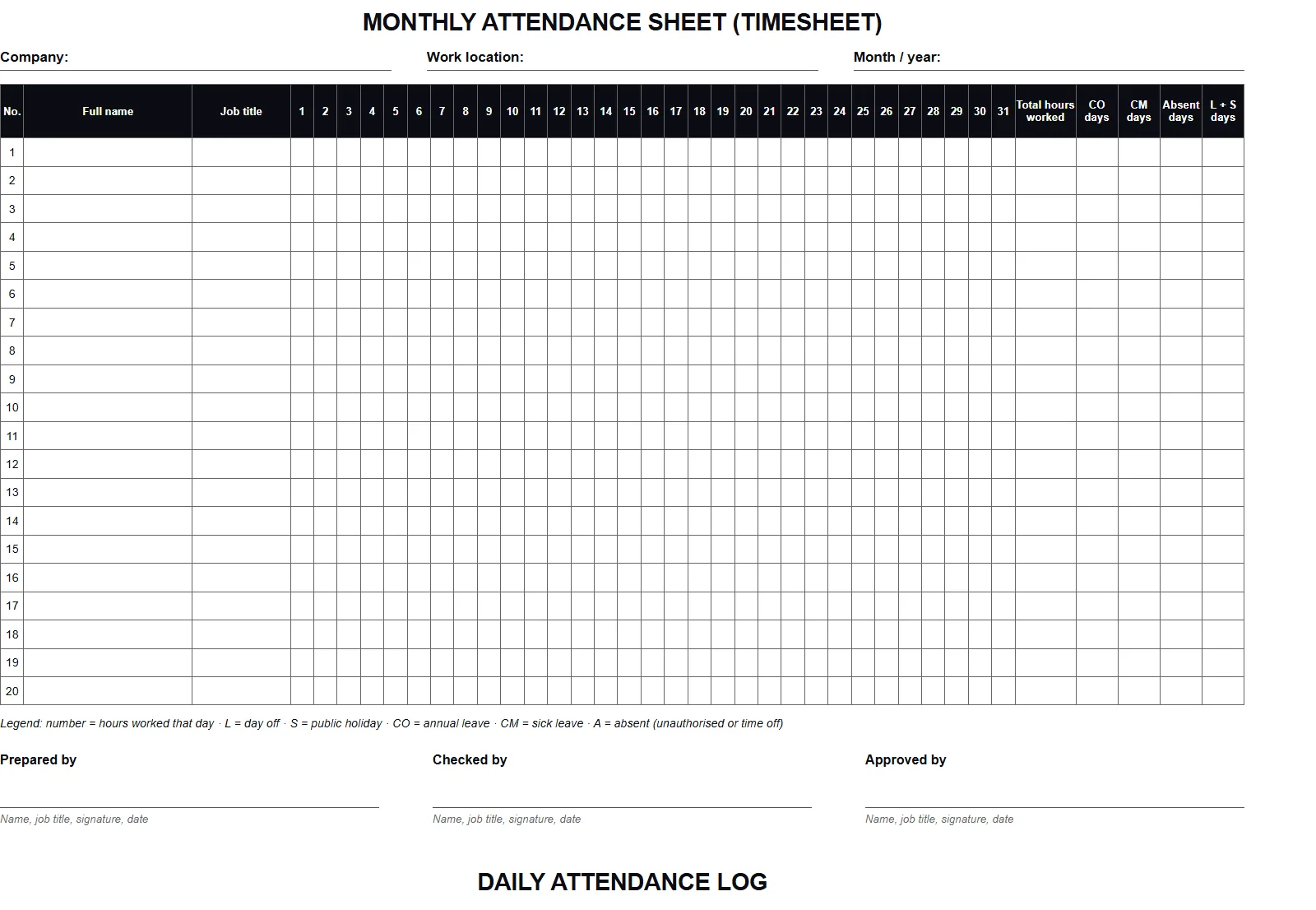
Daily log or monthly sheet: what is the difference
| Daily log | Monthly sheet | |
|---|---|---|
| Role | primary record: proof of the hours actually worked | monthly summary, used for payroll |
| When it is filled in | every day, by the employee or the manager | at month-end (and during the month, if you like) |
| What it contains | date, name, start and end time, signatures | hours per day, totals, leave, absences, signatures |
| Where it is kept | at the workplace | with the accountant and in the company archive |
The Romanian Labour Code requires the start and end time, daily, at the workplace (Article 119; in depth in Recording employee working hours). That is why the log is not a detail: the monthly sheet summarises it but does not replace it.
How to fill in the monthly sheet
In the header write the company name, the work location and the month. On the rows, each employee, with name and job title. On each day worked enter the number of hours; for other days, a code:
| Code | Meaning | Note |
|---|---|---|
| 8, 6, 4… | hours worked that day | the real figure, not the “standard” schedule |
| L | day off | Saturday, Sunday or a day off in the schedule |
| S | public holiday | non-working day under Article 139 of the Labour Code |
| CO | annual leave | see also how to mark leave |
| CM | sick leave | based on the medical certificate |
| A | absent | unauthorised absence or authorised time off, per company rules |
In Excel, the right-hand columns calculate for you: total hours worked (the sum of the numbers), the number of CO, CM and absence days. Check the total once at the end: if a cell contains text instead of a number (for example “8 hours”), it will not be added.
How to fill in the daily log
- Enter the date and the name of each employee present.
- The employee (or the shift lead) notes the arrival time when the day starts and the departure time when it ends.
- Each person signs next to the time they wrote.
- The day’s total is calculated automatically in Excel, or by hand on the printed version.
At month-end, the hours from the log are moved to the monthly sheet. In Excel you can paste the totals; with an app like Easy Timesheet, the monthly sheet is generated from the hours entered every day.
Mistakes to avoid
- Filling it in at month-end. Exactly what the law does not accept: the record is daily.
- “8” every day. If someone worked 7 hours or 10, write 7 or 10. The Labour Inspectorate asks for a real record.
- No start and end time. A total is not enough, even in the log.
- No signatures. The monthly sheet must be signed by whoever prepared it and whoever approved it.
- One copy, on a desk. Keep it at the workplace and a copy with the accountant.
Frequently asked questions
Is this template mandatory?
Can I print it and fill it in by hand?
What about months shorter than 31 days?
Can I use the template in an app?
Sources and further reading

Optometrist with over ten years in medical optics. Writes about what works in a real practice or shop, and builds the apps that daily work called for.
About the author